- What is Kiro
- Spec-Driven Development
- Why Spec-Driven is Better Than Chat-Based Vibe Coding
- The 3-Month Wall of Vibe Coding
- Kiro vs Amazon Q Developer
- Kiro Powers
- The Problem Powers Solve
- How Powers Work
- What’s Inside a Power
- Installing & Using a Power
- Agent Skills : Open Standard for AI Agents
- How Agent Skills Work
- Powers vs Agent Skills
- Moodle Plugin Developmen KIRO Kit
- Conclusion
If you’ve been using AI coding assistants, you know that sometimes they lack context. They can write code, but don’t always know the best practices for YOUR stack. Kiro Powers and Agent Skills are addressing this gap in 2 different but complementary ways.
Let’s start with a brief about Kiro, its approach to development, and then dive into Powers and Agent Skills.
What is Kiro
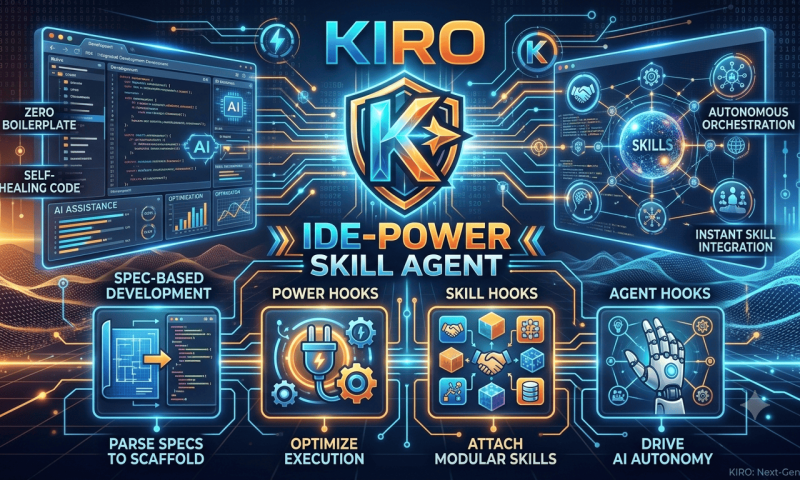
Kiro is an AI-powered IDE by AWS (launched May 2026) built on Code OSS. Unlike typical AI code assistants [vibe coding] that just autocomplete or generate code from prompts, Kiro takes a spec-driven development approach — it starts by understanding what you want to build before writing any code.
Key features include:
- Steering files — markdown docs that define project standards, conventions, and context
- Specs — structured requirements → design → tasks workflow
- Hooks — automated agent actions triggered by IDE events : like doc generation
- MCP (Model Context Protocol) support — external tool integration : sql or browser
- Powers — bundled expertise packages (the focus of this post) : complete package
there are other key terms as well
- skills : kiro support openskill standard https://agentskills.io/home
- agent and subagent
Spec-Driven Development
The core philosophy of Kiro is simple: write down what you want BEFORE generating code. A spec is simply a description of what a program should do and what needs it should meet.
Traditional vibe coding approach:
prompt → code → realize it's wrong → prompt again → patch → repeatKiro’s spec-driven approach:
prompt → requirements.md → design.md → tasks.md → implementationThis gives you 3 benefits:
- Developers and stakeholders can agree on goals upfront
- AI agents have a North Star to work from and validate against
- Changes are version-controlled and trackable — not lost in chat history
The spec approach moves us from ad-hoc prompt engineering to a structured collaboration between developer and AI agent. As Kiro’s team puts it — the specification is a kind of version-controlled, human-readable “super prompt.”
Why Spec-Driven is Better Than Chat-Based Vibe Coding
Let’s be direct here. Vibe coding is great for prototypes and weekend projects — Andrej Karpathy (who coined the term) said this himself. But for anything beyond that, it breaks down. Here’s why:
1- Requirements drift
When you tell an AI “build me a login page,” it makes dozens of decisions you never specified. Password rules? Session handling? OAuth? The AI guesses. When you need to change something later, nobody can trace what was connected to what. One team reported their authentication system scattered across 6 files with no clear structure — they had to rewrite from scratch.
2- Spaghetti chat history
Long conversational threads become unmaintainable. As the chat grows, the model struggles to distinguish between what was planned, what failed, and what actually shipped. Decisions get lost in scroll. You end up re-explaining context every few prompts.
3- No team scalability
If another developer joins your project, there’s no document to read. The “specification” lives in your chat history — which is ephemeral, personal, and unsearchable. Specs solve this by being version-controlled markdown files anyone can read, review, and update.
4- The AI loses the plot on large tasks
Without a spec, the agent has no North Star. It fixes one bug but breaks 3 other files. New features don’t respect existing design patterns. With a spec, the agent refers back to the documented requirements before making changes — it stays on track.
Spec-driven development addresses ALL these by making the specification the source of truth:
- Requirements are written down — not lost in ephemeral prompts
- Changes are tracked in version control — you can see who changed what and why
- The AI validates its work against the spec — reducing hallucination and drift
- Team members read the spec — not your chat history
The 3-Month Wall of Vibe Coding
There’s a documented pattern that vibe-coded projects follow:
| Phase | Timeline | What happens |
|---|---|---|
| Euphoria | Month 1-3 | Rapid feature shipping, high velocity, everything feels amazing |
| Plateau | Month 4-9 | Integration challenges, bugs take longer to fix |
| Decline | Month 10-15 | New features require debugging legacy AI-generated code |
| Stall | Month 16-18 | Delivery halts — team no longer understands their own system |
Research shows code duplication increases significantly with AI-generated code (models generate self-contained snippets rather than reusing existing abstractions). This compounding technical debt is the mechanism behind the wall.
Spec-driven development avoids this by keeping a living document of decisions. When requirements change, you update the spec — not start a new chat hoping the AI remembers everything.
When to use what:
- Vibe coding — hackathons, quick prototypes, personal scripts, learning new frameworks
- Spec-driven — production code, team projects, anything lasting beyond 3 months, regulated industries
Kiro actually supports both modes. You can vibe-code for discovery, then transition to spec mode when you’re ready to build properly. Best of both worlds.
Kiro vs Amazon Q Developer
If you’ve been using Amazon Q Developer, here’s the context: AWS announced Q Developer IDE plugins reach end-of-support April 30, 2027, with new signups blocked since May 2026. Kiro is the successor — not a rebrand, a complete rethink.
Historical journey:
CodeWhisperer (2022) → Q Developer (2023) → Kiro (2026)The problem with Q Developer? It tried to be everything — coding assistant, console assistant, documentation bot, and security scanner all in one plugin. Teams reported context window limitations, poor multi-file understanding, and weak support for complex architectures spanning multiple services.
Key architectural difference:
- Q Developer = request-response model (ask → get answer)
- Kiro = agentic environment (plan → scaffold → implement across entire project tree)
| Feature | Amazon Q Developer | Kiro |
|---|---|---|
| Approach | Inline autocomplete + chat | Spec-driven agentic development |
| Scope | Single file / current context | Entire project tree, multi-file |
| IDE | Plugin for VS Code, JetBrains | Standalone IDE (Code OSS based) |
| Automation | None | Hooks (file save, PR, spec change triggers) |
| Context management | Limited window | Steering files + Powers (dynamic loading) |
| Specification | No formal spec support | requirements.md → design.md → tasks.md |
| MCP / Tools | Basic | Full MCP + Powers ecosystem |
| Security scanning | Built-in (mature) | Via Powers (Snyk, Aikido, etc.) |
| Custom agents | No | Yes (sub-agents, custom agents) |
| Status | End-of-support April 2027 | Active development, GA |
When to migrate now:
- Starting a new greenfield project — spec-driven saves most time at inception
- Heavy test generation needs — Kiro’s hook system automates this
- Building AWS-native agentic workflows or MCP-integrated tooling
When to wait:
- Heavily customized Q Developer security scanning rules — give Kiro’s security powers time to mature
- Locked-down enterprise network — Kiro’s agentic features require broader outbound connectivity
- VS Code / JetBrains locked-in teams — Kiro is a standalone IDE, no plugin mode
The transition isn’t just a rebranding. It’s a shift from reactive autocomplete to proactive agentic development. The deprecation deadline sounds far, but enterprise procurement, security reviews, and team retraining take time.
Kiro Powers
Powers are specialized packages that give the AI agent instant access to expert knowledge for specific technologies. Think of them as plug-and-play expertise modules.
Available powers (as of now) include tools from:
- AWS (CDK, CloudFormation, Lambda, Amplify, Aurora, Step Functions)
- Datadog, Dynatrace, New Relic — for observability
- Figma — design to code
- Postman — API testing
- Supabase, Neon, ClickHouse — database
- Netlify — deployment
- Terraform, StackGen — infrastructure
- Snyk, Aikido — security scanning
- And many more from community contributors
The Problem Powers Solve
There are 2 real problems with giving agents raw tool access:
1- Without framework context, agents guess.
Your agent can call Stripe APIs, but does it know to use idempotent keys? It can query Neon, but does it understand connection pooling for serverless? Without built-in expertise, you’re manually reading documentation and refining prompts until the output is correct.
2- With too much context, agents slow down.
Connect 5 MCP servers and your agent loads 100+ tool definitions before writing a single line of code. That’s 50,000+ tokens — around 40% of your context window — consumed before your first prompt. More tools should mean better results, but unstructured context overwhelms the agent.
Powers solve both these problems.
How Powers Work
Instead of loading ALL MCP tools at once, Powers activate dynamically based on keywords in your conversation.
When you start a task, Kiro:
- Reads your task/prompt description
- Evaluates installed powers against the task keywords
- Loads ONLY relevant powers into context
For example: Install the Stripe power. When you mention “payment” or “checkout,” the power activates — loading Stripe’s MCP tools and steering docs into context. When you move to database work, Supabase power activates and Stripe deactivates.
This is the key difference from traditional MCP — dynamic loading vs upfront loading.
What’s Inside a Power
A power is a unified bundle that includes:
- POWER.md — the steering file telling the agent what tools it has and when/how to use them
- MCP server configuration — tools and connection details
- Steering/hooks — (optional) automated tasks that run on IDE events
Installing & Using a Power
Installation is one-click. No JSON config files, no CLI setup needed.
Steps:
- Open Kiro → click the Power icon in the navigation bar
- Browse available powers in the AVAILABLE section
- Click + Install on the power you want
- Start chatting — use keywords relevant to the power and it activates automatically
Example with AWS Infrastructure power:
You: "How should I deploy my game to AWS?"
→ AWS Infrastructure power activates
→ Searches AWS docs, suggests CDK stack with Amplify hosting
→ Creates the deployment code for you
After running cdk deploy, you get your Amplify URL:
Outputs:
  AmplifyWebAppStack.AmplifyAppUrl = https://main.d1234567890abc.amplifyapp.com
You can also ask the power to troubleshoot failed deployments — it will analyze CloudFormation errors and suggest fixes.
Agent Skills : Open Standard for AI Agents
While Powers are Kiro-specific, Agent Skills (agentskills.io) is an open standard for extending ANY AI agent’s capabilities.
Originally developed by Anthropic and released as an open standard, Agent Skills are now adopted by a growing number of AI tools.
At its core, a skill is a folder containing a SKILL.md file — metadata (name, description) + instructions for how to perform a specific task. Skills can also bundle scripts, reference materials, templates, and other resources.
Why Agent Skills matter:
- Domain expertise — capture specialized knowledge (legal review, data pipelines, formatting) as reusable instructions
- Repeatable workflows — turn multi-step tasks into consistent, auditable procedures
- Cross-product reuse — build once, use across any skills-compatible agent
How Agent Skills Work
Skills load through progressive disclosure in 3 stages:
- Discovery — at startup, agents load only name + description of each skill. Just enough to know when it’s relevant.
- Activation — when a task matches a skill’s description, the agent reads the full SKILL.md instructions into context.
- Execution — the agent follows the instructions, optionally running bundled scripts or loading referenced files.
Full instructions load only when needed — so agents can keep many skills on hand with a small context footprint. Same principle as Kiro Powers.
Powers vs Agent Skills
| Aspect | Kiro Powers | Agent Skills |
|---|---|---|
| Scope | Kiro IDE specific | Cross-platform open standard |
| Includes MCP tools | Yes (bundled) | No (instructions only + scripts) |
| Activation | Keyword-based, automatic | Description matching |
| Installation | One-click in IDE | Folder in project |
| Hooks/Steering | Yes | No |
| Ecosystem | Curated partners + community | Open, any contributor |
| Core file | POWER.md | SKILL.md |
Both follow the same philosophy: don’t dump everything into context, load expertise on-demand.
Kiro actually supports Agent Skills as well — you can place skill folders in your project and the agent can discover and use them. So they’re complementary, not competing.
Moodle Plugin Developmen KIRO Kit
This kit provides a ready-to-import Kiro IDE configuration for Moodle plugin development. It includes two custom agents, one hook, a steering file, and Playwright MCP setup — all based on official Moodle coding standards and the plugin contribution checklist.
The Standards Review Agent checks PHP files against Moodle’s coding style: naming conventions, PHPDoc format, security patterns, namespace rules, and SQL safety. It reports violations with line numbers and severity levels.
The Plugin Readiness Agent simulates the Moodle plugins directory approval process. It verifies version.php metadata, privacy API implementation, backup/restore for activity modules, cross-DB compatibility, capability declarations, and all known approval blockers.
The PHPDoc Hook auto-triggers on file save, adding missing GPL boilerplate, @package/@copyright/@license tags, and method documentation without touching your logic.
The Playwright MCP connects Kiro to a real browser for UI testing — navigate your dev site, interact with plugin pages, take screenshots, and validate forms through chat commands.
The Steering file enforces Moodle coding standards automatically whenever PHP files are in context — ensuring every line of AI-generated code follows frankenstyle naming, proper indentation, and security best practices.
Drop the .kiro folder into any Moodle plugin project and start building.
Conclusion
The shift happening here is multi-layered:
- From vibe coding → spec-driven development (structure over chaos)
- From Q Developer’s autocomplete → Kiro’s agentic planning (reactive to proactive)
- From raw MCP tools → Powers and Skills (dumping context to on-demand expertise)
If you’re still on Q Developer, start planning your migration — the clock is ticking (April 2027). If you’re already on Kiro, try the spec-driven workflow on your next feature. And install a power relevant to your stack — the one-click setup means there’s nothing to lose.
For teams building internal workflows, Agent Skills provide a portable, cross-tool way to package domain knowledge that works beyond Kiro.
We’ve moved past “AI writes code from prompts.” The future is AI that understands specifications, loads expertise on-demand, and validates its own work against documented requirements. That’s a fundamentally better way to build software.
References: